
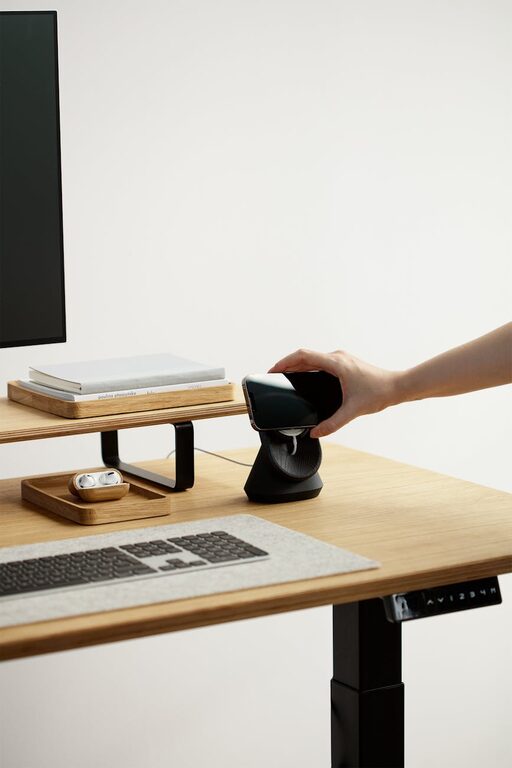
Creating a workspace that promotes both focus and comfort is essential for productivity and well-being. Whether you work from home or spend long hours at an office desk, setting up your area thoughtfully can make a big difference in how you feel and perform. In this post, we’ll explore practical tips to help you design a desk setup that supports concentration and physical ease.
Why Your Desk Setup Matters
Before diving into the tips, it’s helpful to understand why your workspace layout is important. An organized and ergonomically sound desk can reduce distractions, prevent physical strain, and improve your ability to concentrate. Conversely, a cluttered or uncomfortable desk may lead to fatigue, frustration, or unhealthy posture.
Choose the Right Desk and Chair
Desk Height and Size
Start with a desk that fits your space and provides enough surface area for your work essentials. A standard desk height is about 28 to 30 inches (71 to 76 cm), but adjustable desks are a great option if you want to alternate between sitting and standing.
Supportive Chair
Invest in an ergonomic chair with adjustable height, lumbar support, and comfortable padding. A good chair helps maintain proper posture and reduces back or neck pain, which can otherwise distract from your work.
Optimize Monitor Placement
Eye-Level Screens
Position your monitor so the top edge is at or slightly below eye level. This encourages a neutral neck position, minimizing strain. The screen should be about an arm’s length (20–30 inches/50–75 cm) away from your eyes.
Dual Monitors and Alignment
If you use multiple screens, align them side by side with minimal gap. Adjust the angle so you can view both without excessive head movement.
Organize Your Desk Essentials
Declutter Regularly
Remove unnecessary items to reduce visual distractions. Keep only the tools you use frequently close at hand.
Use Desk Organizers
Utilize trays, pen holders, and drawer dividers to keep stationery and documents tidy. This system makes it easier to find what you need quickly.
Prioritize Comfort and Ergonomics
Keyboard and Mouse Position
Place your keyboard and mouse close enough so your arms stay relaxed, with elbows bent around 90 degrees. Use a keyboard tray or wrist rest if needed to maintain proper alignment.
Foot Support
Keep your feet flat on the floor or use a footrest if your feet don’t reach comfortably. This supports circulation and posture.
Lighting Matters
Natural light is ideal for reducing eye strain and boosting mood. Position your desk near a window but avoid glare on your screen. Use adjustable desk lamps to ensure adequate brightness during darker hours.
Minimize Distractions
Noise Control
Consider noise-canceling headphones or soft background music if outside sounds distract you. Some people find white noise machines helpful.
Cable Management
Tidy up cables using clips or under-desk organizers to keep your workspace neat and prevent accidental snagging.
Add Personal Touches Mindfully
Decorate your desk with items that inspire you, such as a small plant, a photo, or art. Avoid overcrowding; the goal is to create a pleasant environment without overwhelming your focus.
Incorporate Movement Breaks
Even with the best desk setup, sitting too long can affect comfort and focus. Schedule short breaks to stand, stretch, or walk around every hour. This refreshes both mind and body.
Final Thoughts
Creating a desk setup tailored to your needs can significantly improve how you work and feel throughout the day. Focus on ergonomics, organization, and a pleasant atmosphere. Take your time fine-tuning your space and don’t hesitate to adjust as you discover what works best.
With these tips, you can enjoy a workspace that supports your productivity, encourages focus, and keeps you comfortable—making workdays more enjoyable and effective!